
Automation & Programming
We like simple out-of-the-box solutions and complex task-by-task workflows. Missing Revit functionality, repetitive documentation production or parameters management are challenges we meet all the time. No matter if the project is complex or there is a series of similar projects one after another, automating tasks in the design and construction process can't be absent in today's reality.
- Dynamo single and series of scripts
- Revit C# add-ins
- PowerShell and Power Automate scripts
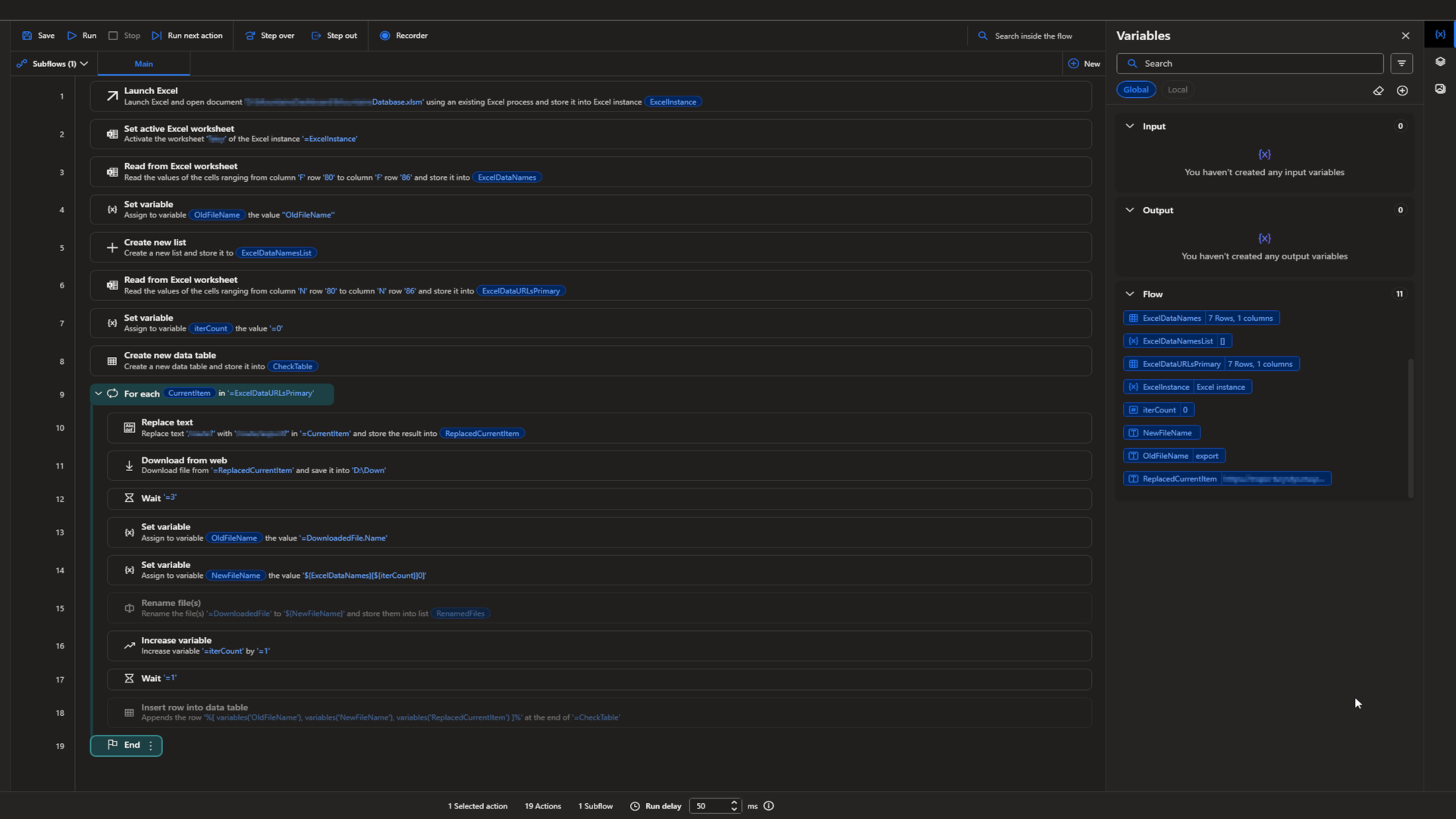

Sometimes there is a moment, when we feel like a monkey and repetitive task seems to be endless. Nothing really "codeable" comes to our mind but we can't accept the fate of a clicker. Power Automate can save a day, when you need to open file, read specified data and URLs and download them with human-like set of actions.
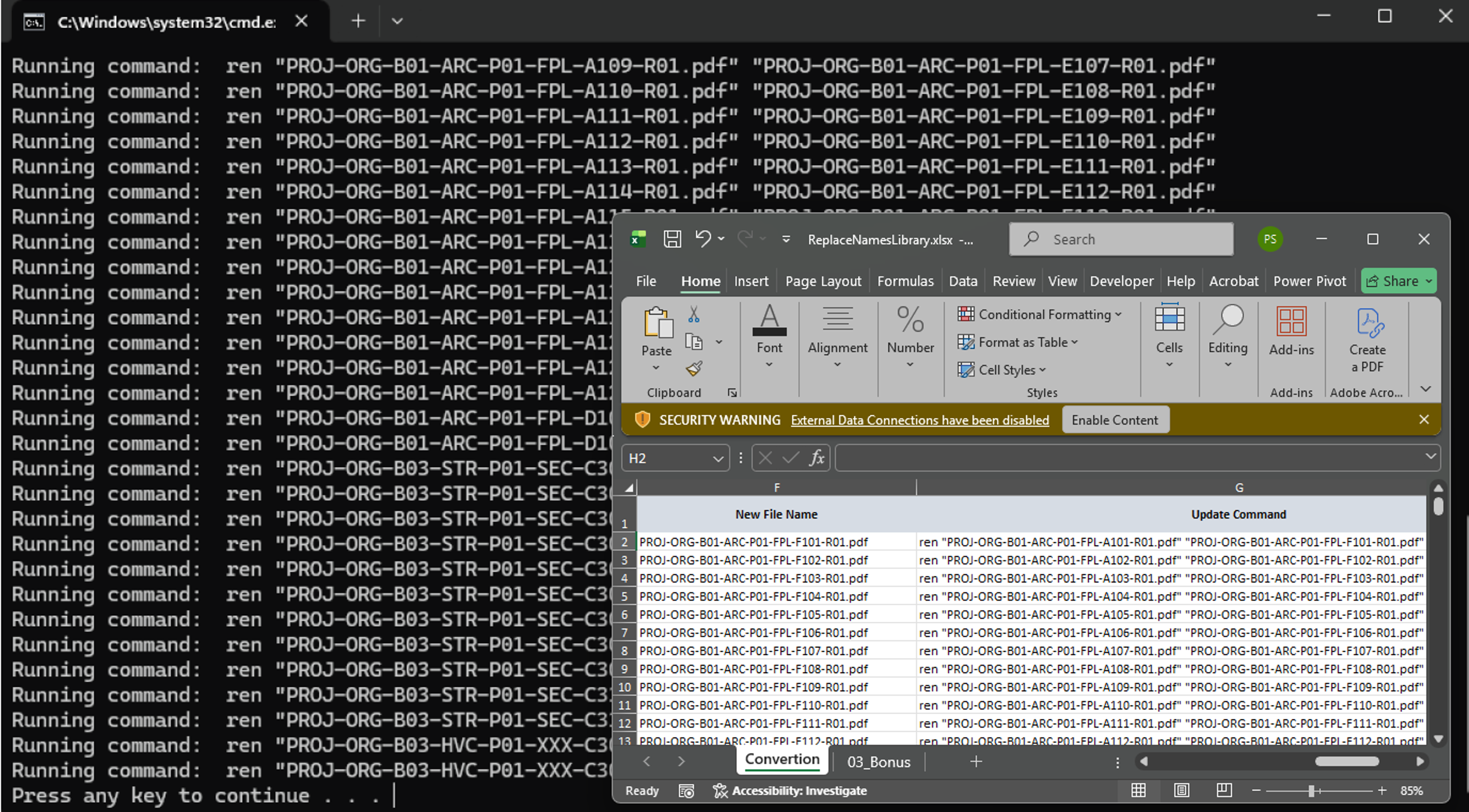


When the standard and naming convention is not followed and there is nothing to do about it, there is actually something we can do about it. Mix of PowerShell code and set of proper naming in Excel allows us to workaround and finalize delivery aligned with guidelines.
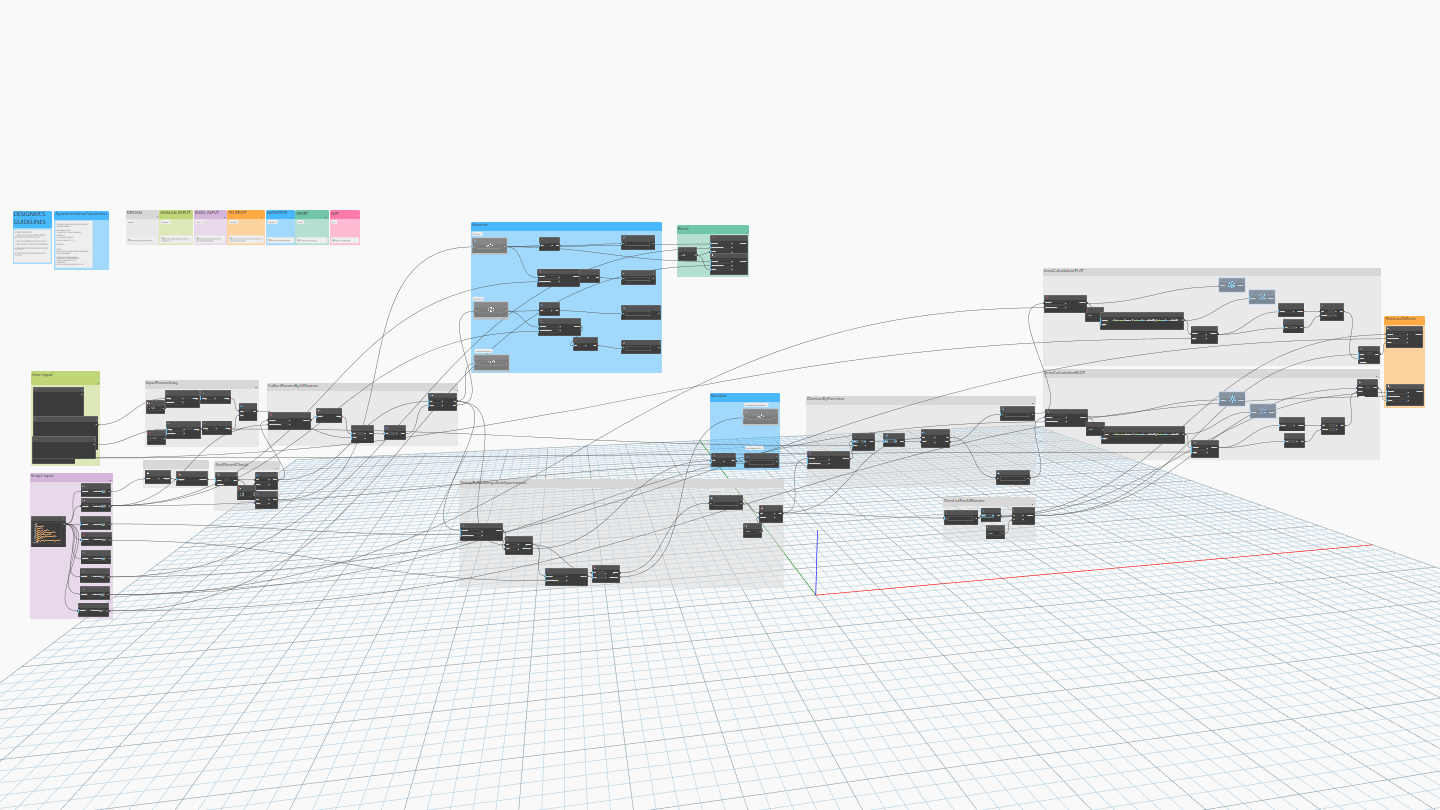


Natural first step into automation and data management in Revit - Dynamo. Starting with simple room area summarizing to fulfill information about apartment area across the model, through parametric geometry creation and advanced coordination and checks, that's the power of Dynamo.
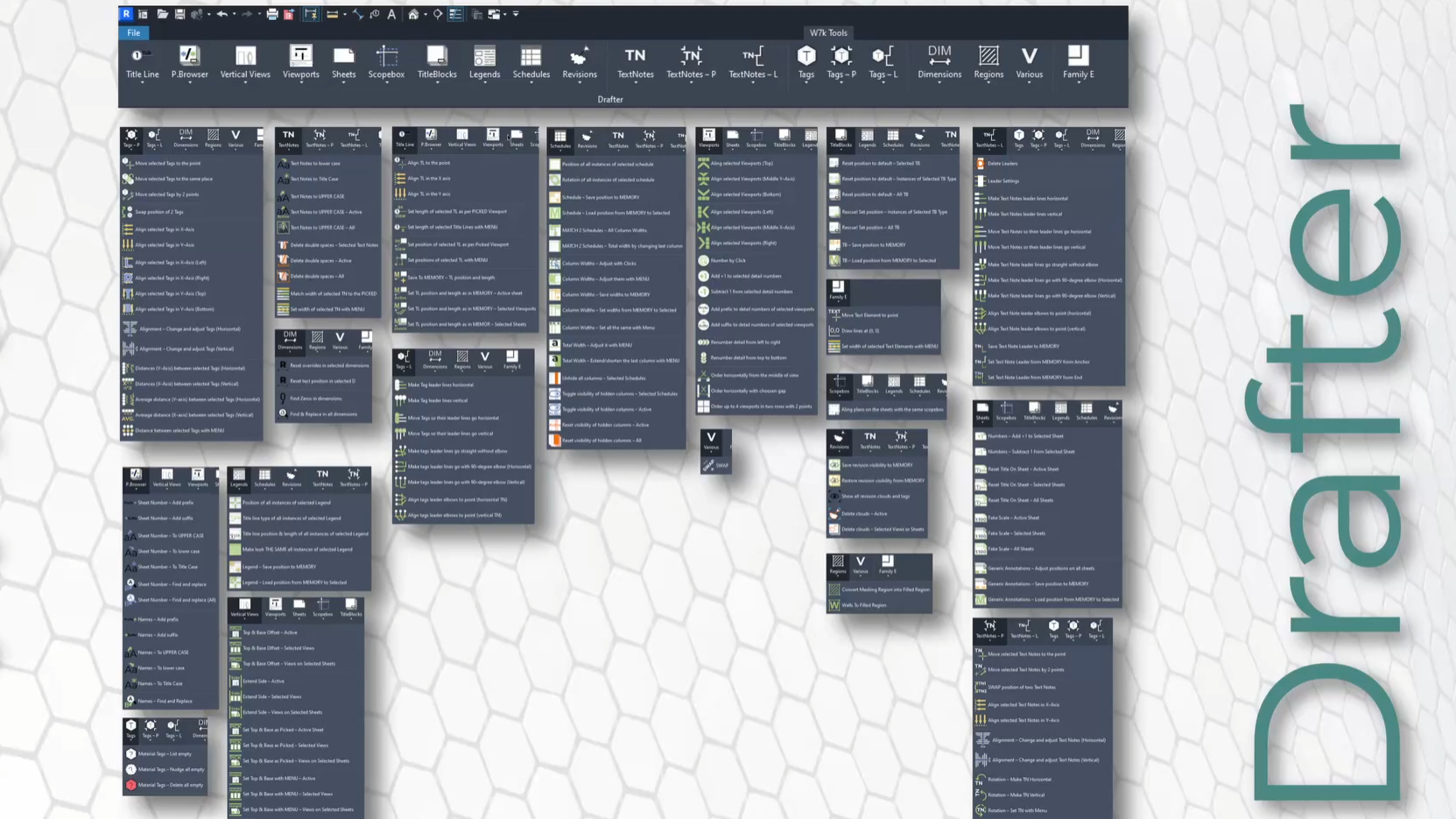



For fast and handy access to simple yet powerful options makes C# perfect solution. To make drawing consistent and perfectly readable or rearrange elements constraints without Dynamo Player, you can check already developed Julian's set of tools: Drafter, Leveler, Boxer and Extra.
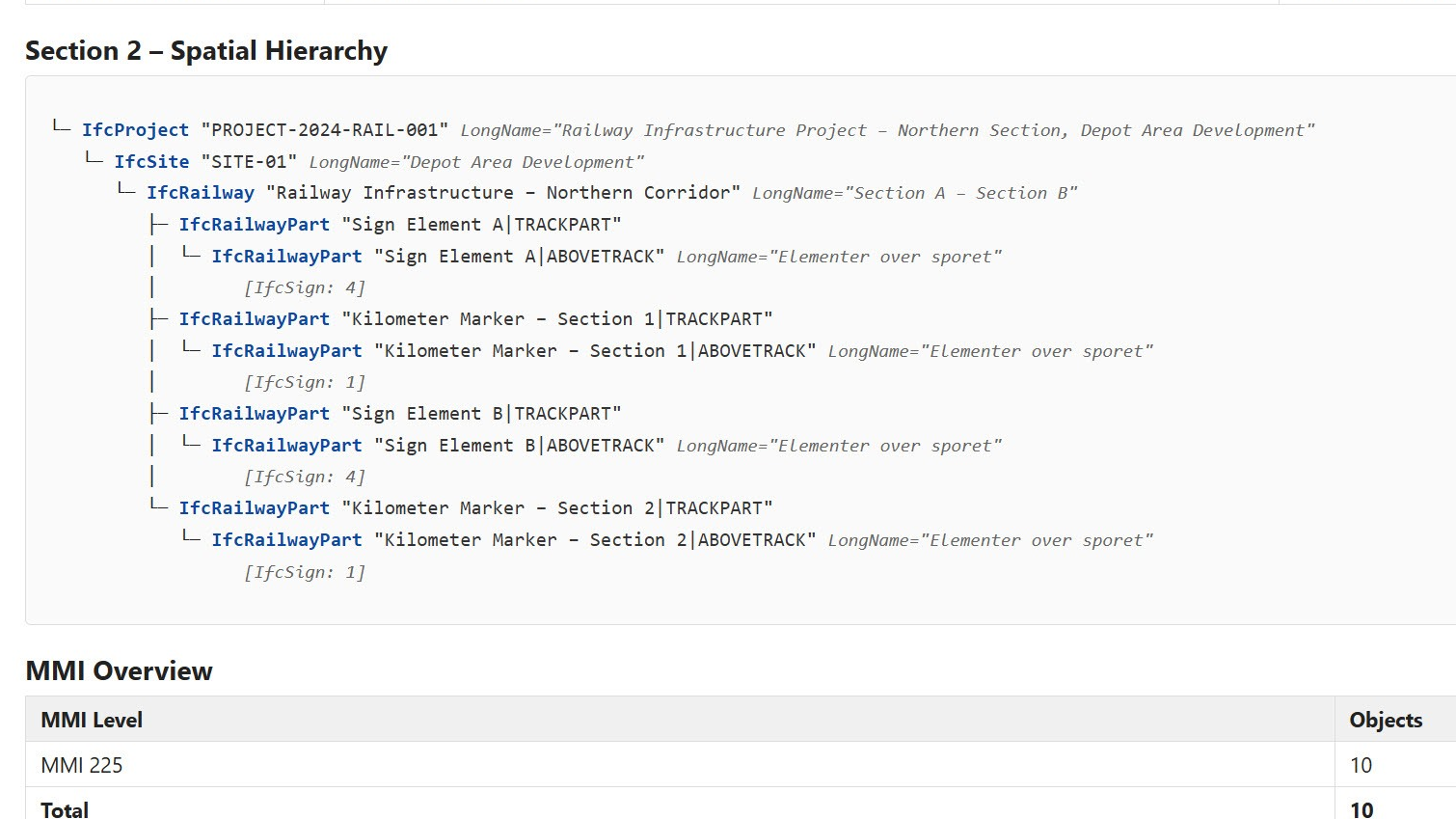

IFC validation and property set correction using a Python script supported by AI capabilities provides a bespoke solution during the verification process. Whenever you need to customize the standardized IDS way of quality checks, Python comes into play.
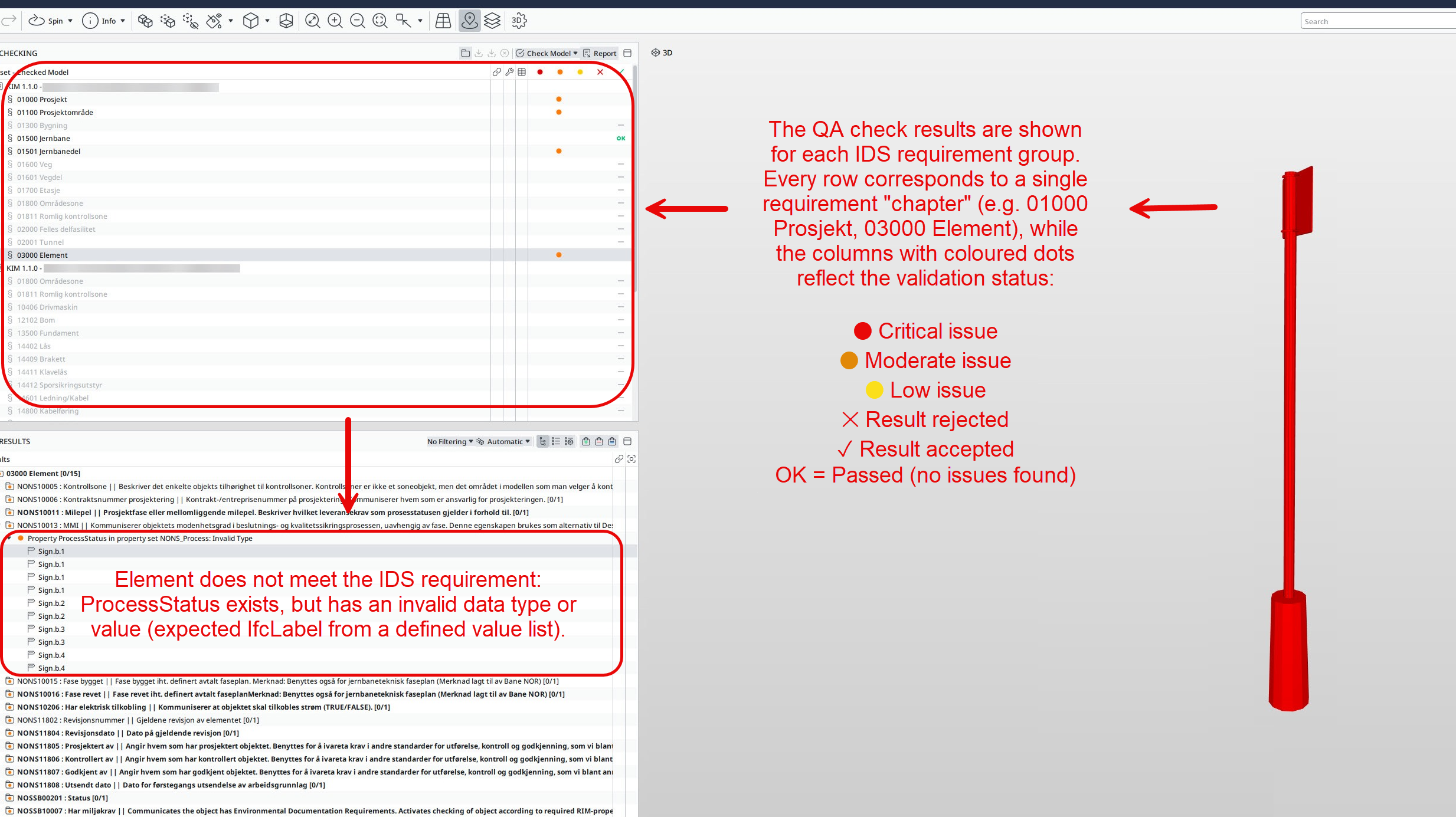


IFC validation using Information Delivery Specification (IDS) files — a buildingSMART standard for defining information requirements — perfectly fulfils the OpenBIM approach to data-rich model delivery. Solibri is prepared to handle the task with its Rule Templates - check SOL/244/1 and read more!
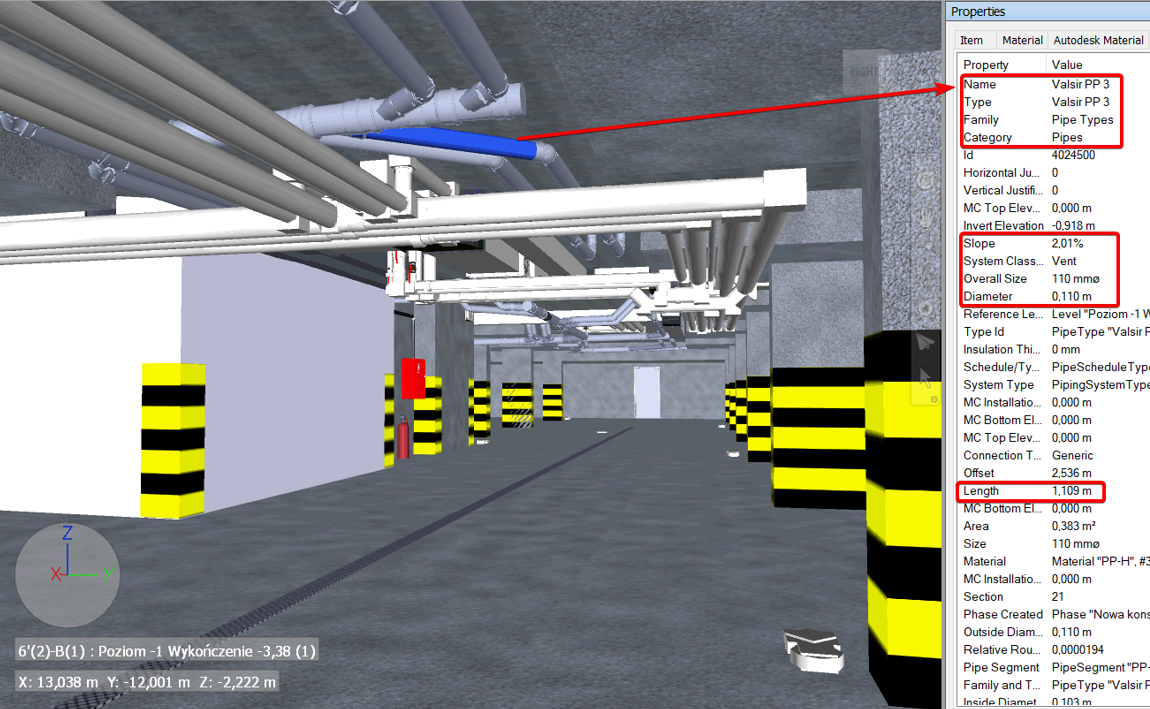


Federated model management starts even before the first discipline model is produced in the design software. The strategy for the federation process contains discipline division, Model View Definition export setup, proper coordinates establishment, data export and more. A well-structured, well-positioned 3D federated file is a starting point for unlocking BIM use-case potential.
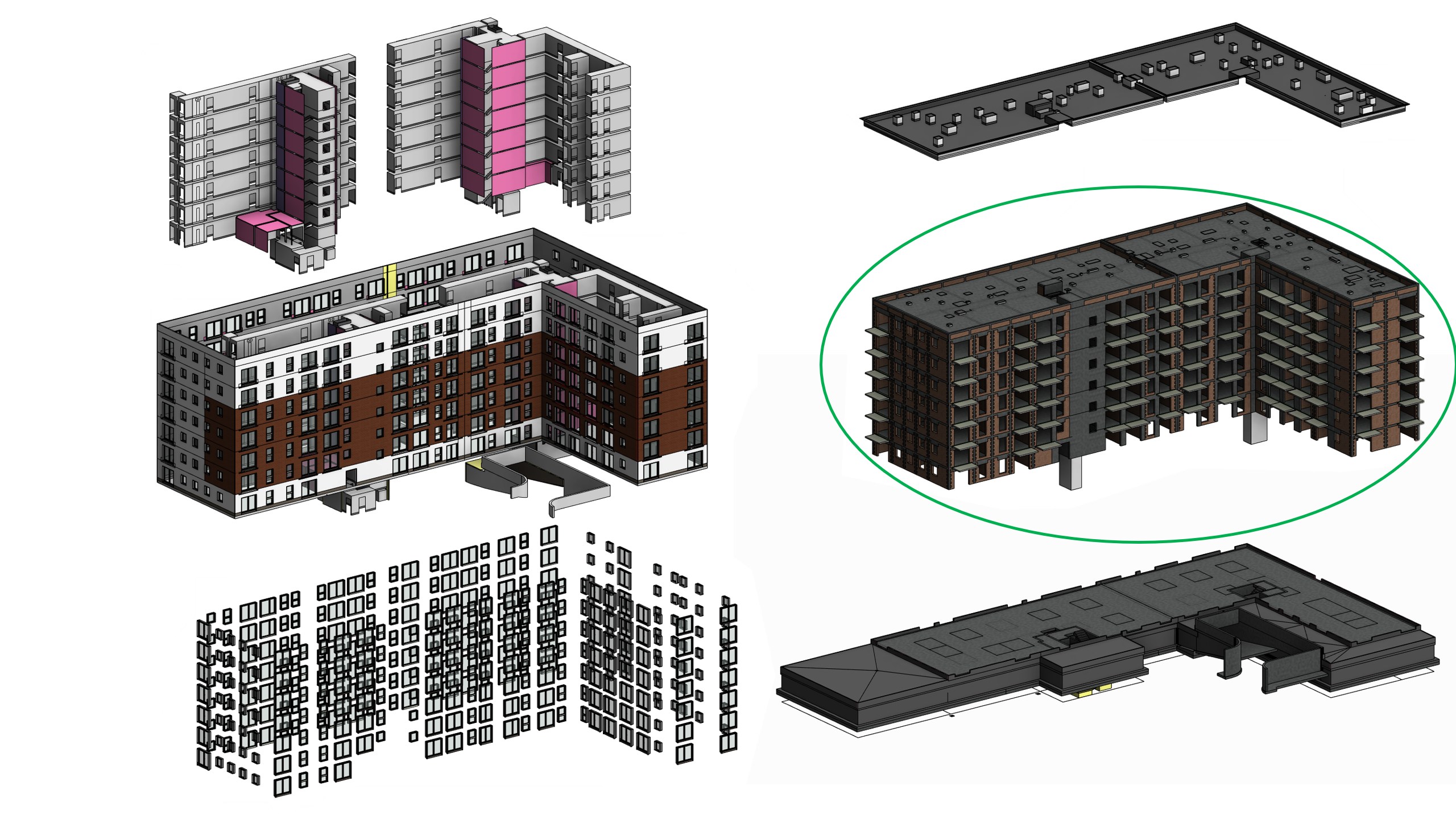

Automated BOQ and real-time updates in structured, ready-to-analyze form is an unquestioned challenge. Our experience with models, material libraries and schedules capabilities led us to the conclusion that success starts where unified, coded parameters and material naming meet level-structured scheduling standard. All together, they build working 5D BIM.
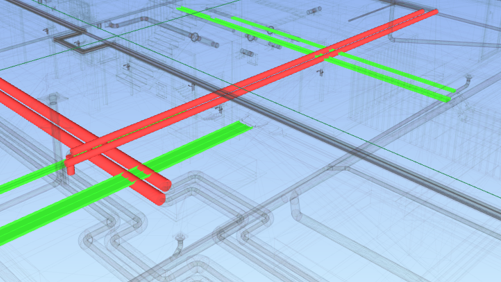
Easily achievable nowadays, good old 3D clash detection. Probably one of the first use cases for BIM models in your company. Here the fun starts, but then...? Collision hierarchy, tolerances, clash to issues grouping, cloud-based reporting system. Clash itself is not 3D coordination — solved issues are, and it requires more attention than just one click.
BIM Coordination & OpenBIM
Effective BIM coordination goes beyond clash detection. It means issues reporting instead of thousands of conflicts, format control and missing elements prevention, proper IFC exports keeping software performance and platform capabilities in mind. There are more aspects covered by simple "BIM coordination" than is commonly discussed.
- Clash and issues management workflows
- IFC validation with IDS and Python
- IFC 4x3 model exports and MVD setup for various disciplines and purposes
- Federated model management
- Bill of Quantities and material schedules for construction phase
BIM Standards
Developing and implementing BIM standards that actually work. Our approach focuses on practical adoption, clear documentation, and measurable outcomes rather than theoretical frameworks.
- BIM Execution Plans
- BIM Manuals and Best Practices Guidelines
- Templates for modelling and data exchange
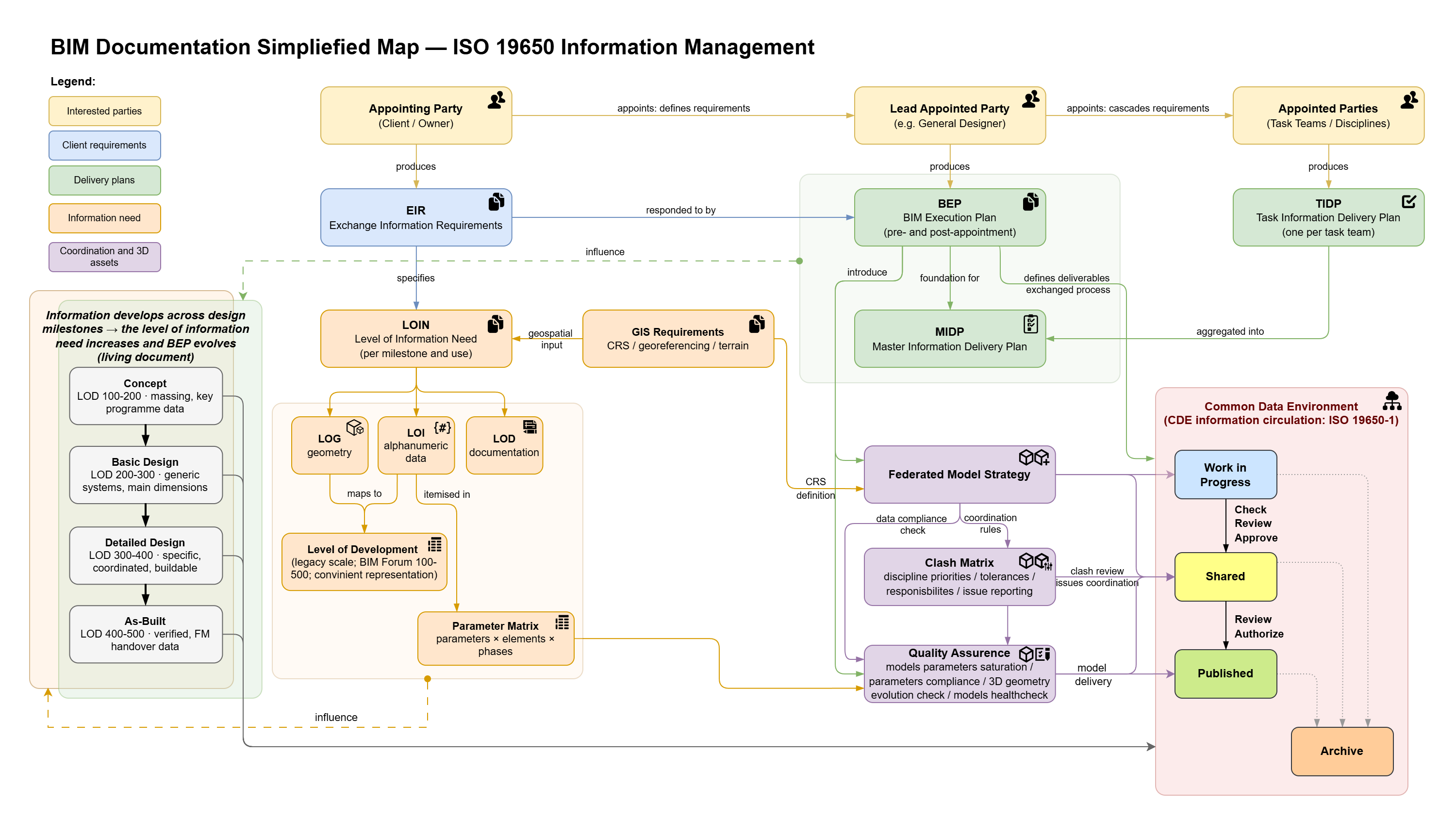


One map instead of a shelf of binders: OIR and EIR define the requirements, the BEP answers with a strategy, and MIDP and LOIN say who delivers what, when, and in which detail. The map only works on top of an implemented BIM standard — without one, it stays a diagram on the wall. How we put it into practice — the case study "BIM in residential construction".
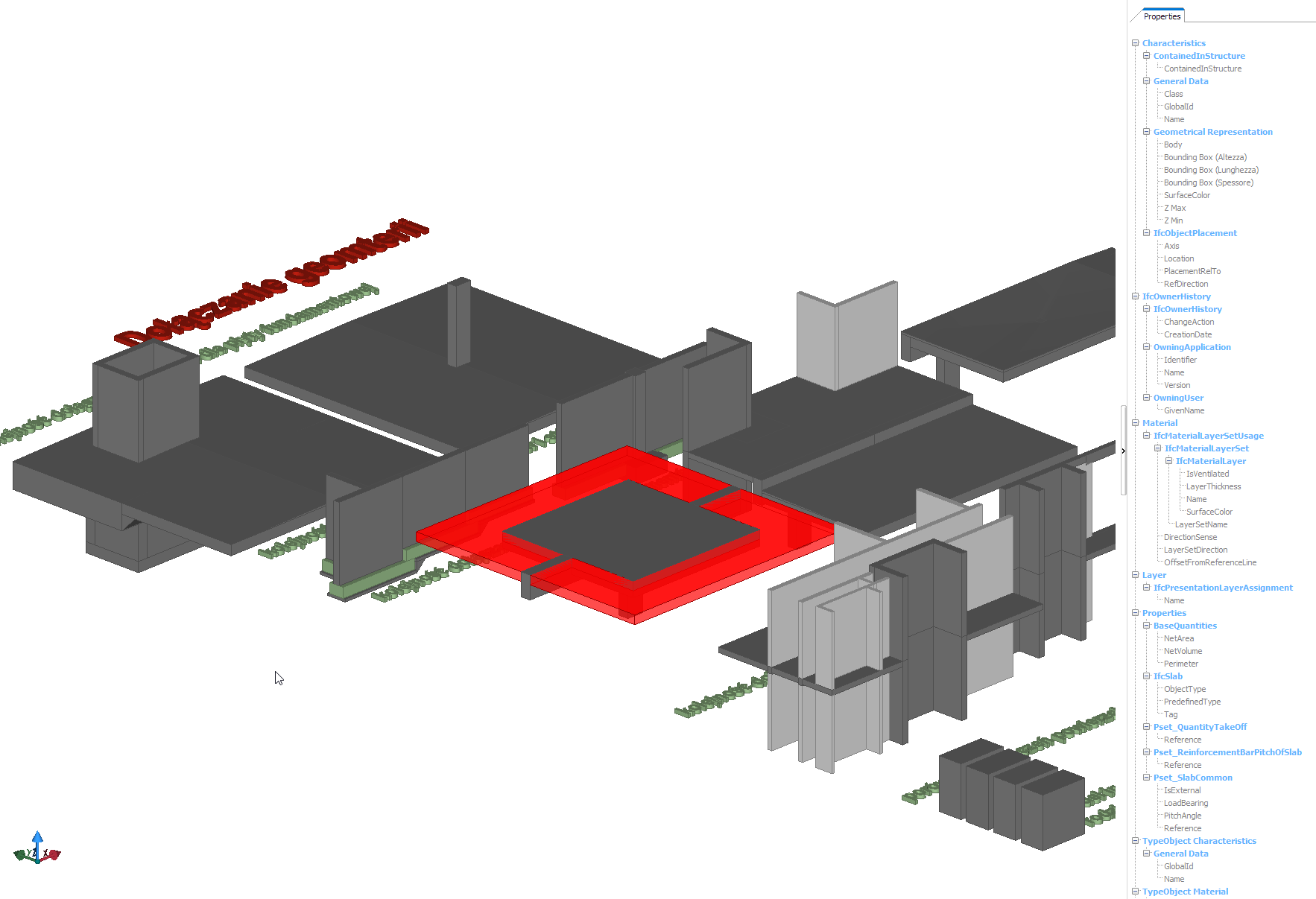
What if the quantities counted themselves at every revision? Model-based BOQ (Revit → Navisworks/IFC) delivers, per published studies, a 30–80% reduction in take-off time and estimate accuracy within ±3% — but only on top of an implemented BIM standard: no standard, no results. Numbers and sources in the case study "BIM in residential construction".


Training materials and adoption strategy for 200+ person organization.
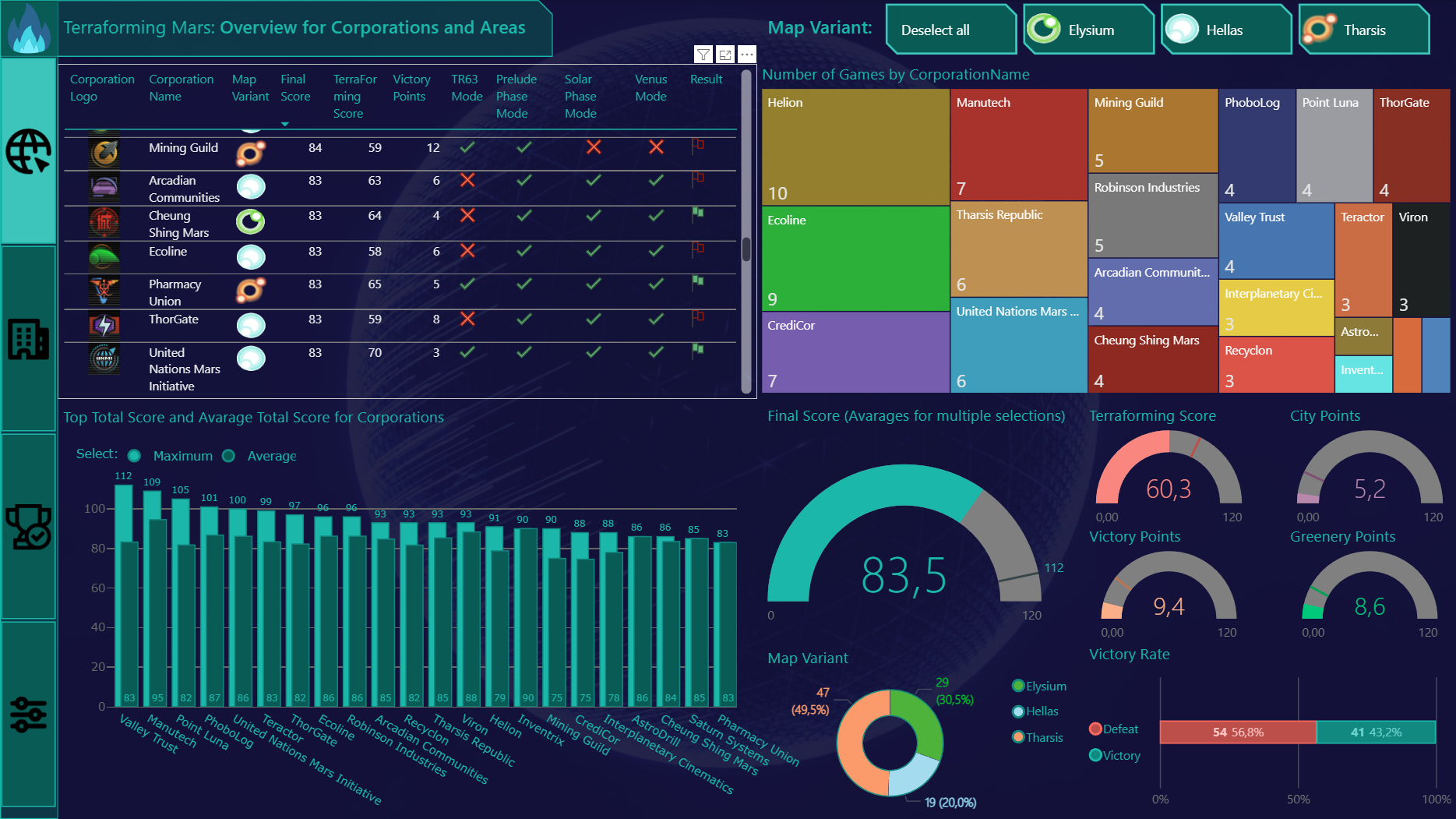
Terraforming Mars is definitely my favorite board game. When I discovered there is a .json game log I couldn't resist to find out which strategy brought me to the best results. One file, repetitive data structure and a question: "how can I beat my last record".
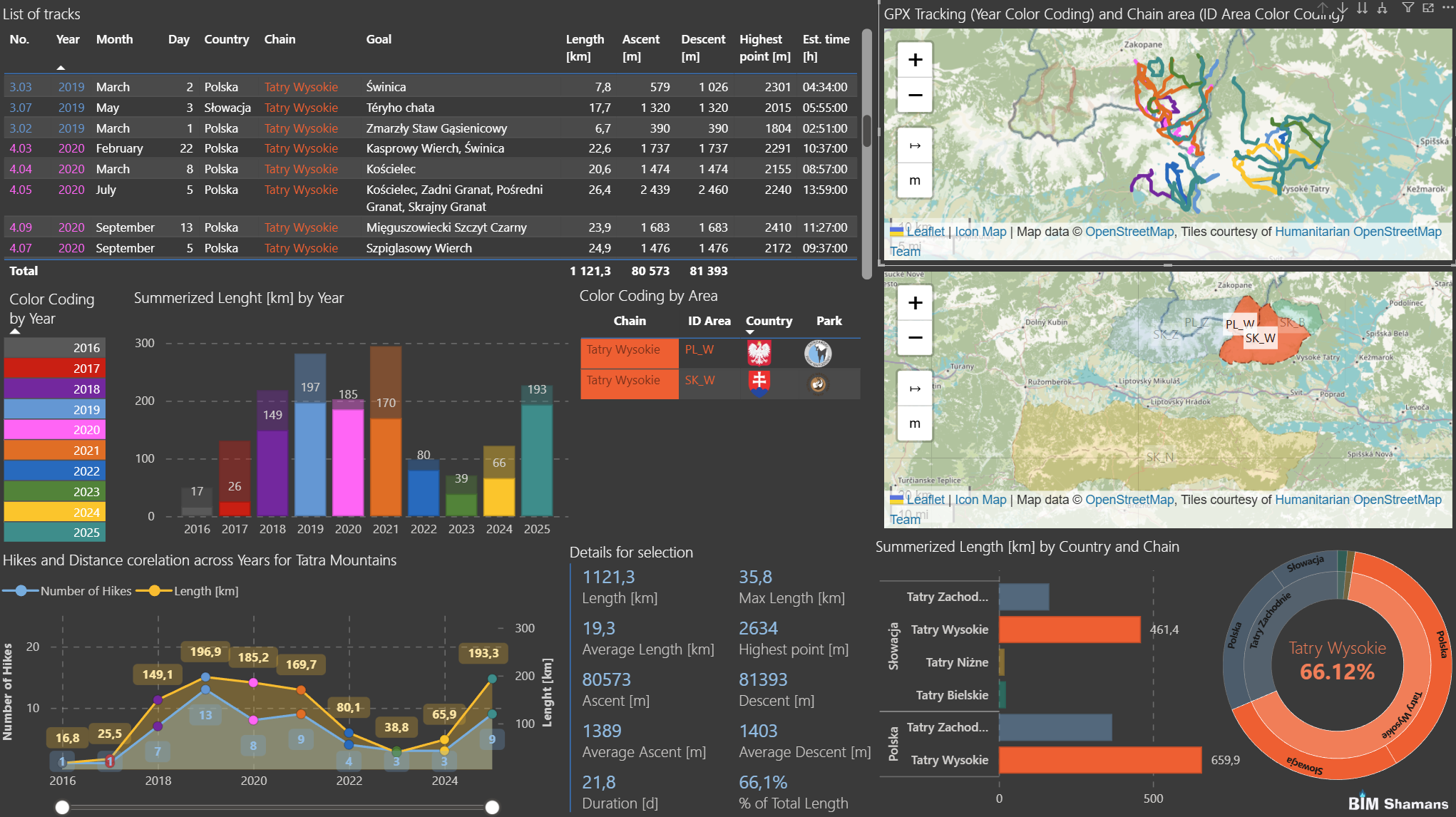

GPX tracks, multiple data sources and the strong need to find out what journeys looked like. Who doesn't like tracking their own activities across time and...area? Connecting interaction for maps and data with over 90% gpx files optimization was quite a challenge.
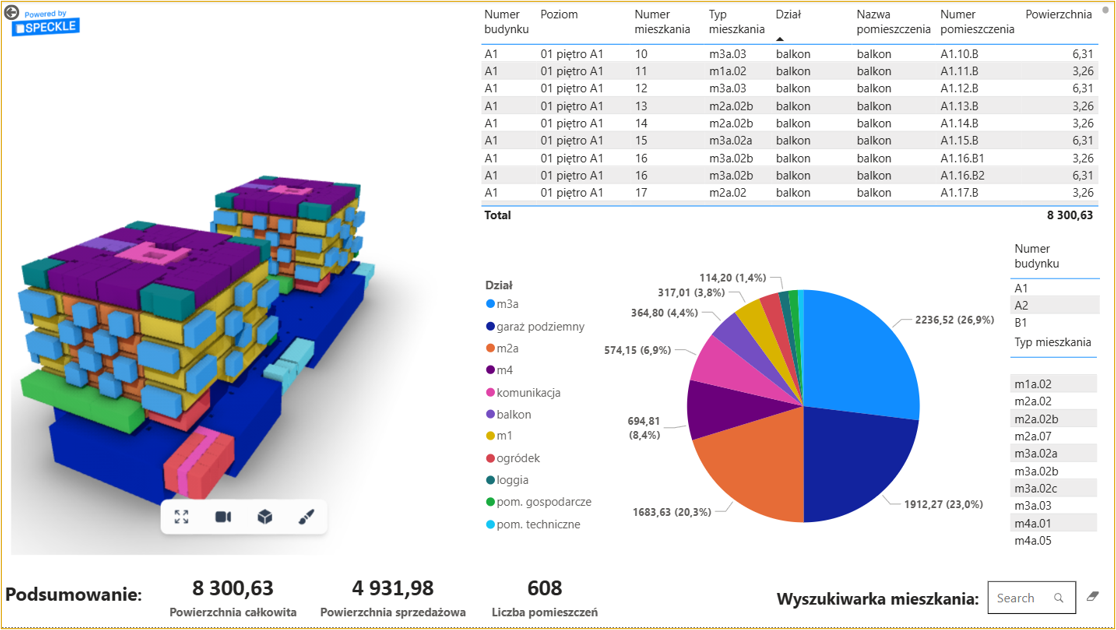

3D-driven BI for residential units on concept design stage brings fresh perspective to requirements analysis. No more pivot tables on one half of screen and drawings on the other half. It can be one, it can interact, it can bring more use from already produced data.
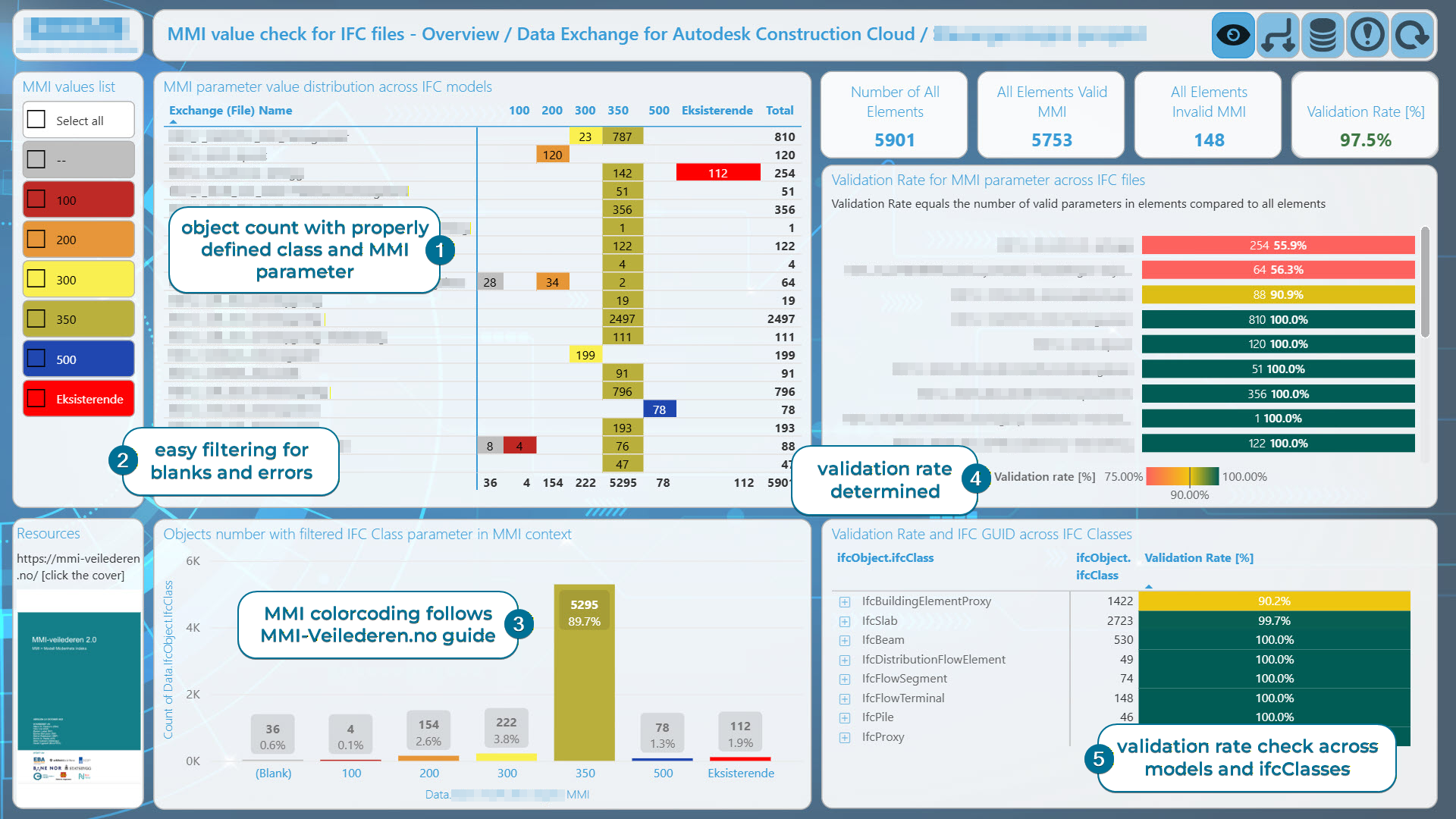


IFC-based objects maturity check and reporting is an example of diving into data to catch that one, specified insight and bring it to the main page of CDE or Sharepoint. No overcomplication, newest Data Exchange for IFC files potential and Open format.
Data & BI Reporting
Conclusion is the point of diving into data. Presentation is the way. Nowadays we collect data all the time - financial budgets, activities reports, hike tracks notes, game logs, PV metrics and more!
Of course, our main goal is to bring decision-making input through data for AEC industry, but if the playground offers you infinite source of sand and gives you pretty useful tools, shape of the castles depends only on our imagination.
- Diagnostic dashboards (not decorative ones)
- Data extraction & transformation pipelines
- Intuitive interface with 3 second rule based data presentation
- Insights connected with questions
Notice: All software logos, trade names, trademarks, and data exchange format marks displayed on this website are the property of their respective owners. They are used solely for informational and referential purposes, to indicate the tools utilized in the presented professional activities. Their use does not constitute official use of the manufacturers’ materials, nor does it imply any affiliation, sponsorship, partnership, or endorsement by the respective trademark owners.